Skip to Content
 

close

Telephone

+44(0)161 850 0561

Email

help@pageplay.com

Address

  • PagePlay
  • Unit 3, Fourth Floor
  • 31 Dale Street
  • Manchester
  • M1 1EY

close

Name:

Email:

Comments:

Updating Mail Servers on iPhone

1. Open iPhone settings

The icon for settings is shown below.

Settings

2. Select "Mail, Contacts, Calendars"
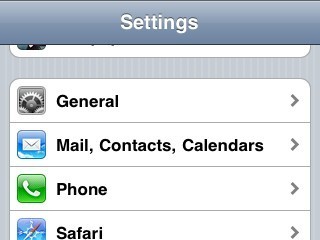
Mail, Contacts, Calendars

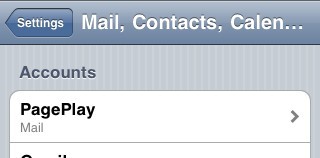
3. Select email account

Mail Account

4. Update "Incoming Mail Server"

Update the Host Name field to mail.pageplay.com

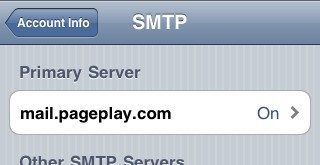
Once you've done this, select "SMTP" under "Outgoing Mail Server"
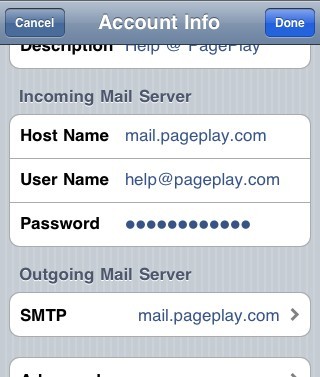
Host Name

5. Select Primary Mail Server

Outgoing

6. Update Outgoing Mail Server

Update the Host Name field to mail.pageplay.com

Select Done when you're ready to save the changes.
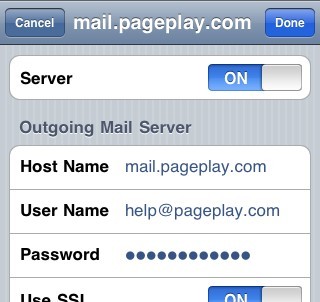
Outgoing

7. Accept identity of the server

If you get the following message, press Details
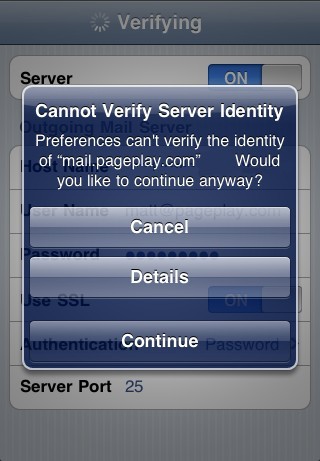
Certificate

You should then be presented with the following screen. Press "Accept"
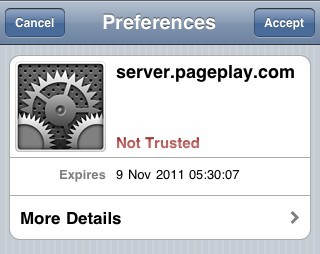
Accept Certificate

Follow us on Twitter

Modliacreators of PagePlay

The road to the PagePlay image in paragraph feature

22/12/11 09:26

We’ve been getting requests for the ability to put small images into paragraphs since the early days of PagePlay. We’ve always prioritised new features on a how-much-it-hurts basis, it was...