Photobanner
Photobanner: things you might not know
Photobanner is one of our most popular bolt-ons. You can see it on many of our customers' sites, usually on the home page. Photobanners allow you to feature images, content and links in a prominent - yet efficient - way.
We have a photobanner on the PagePlay home page which shows several PagePlay sites we're proud of.
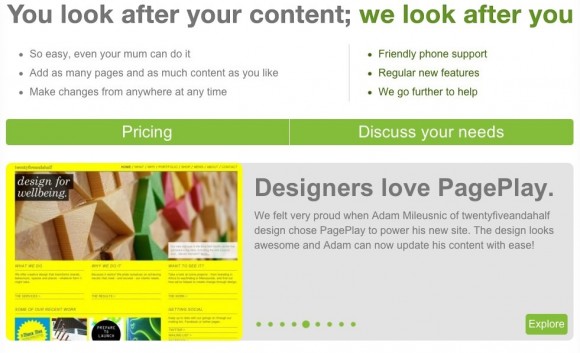
Here are a few things we might not know about photobanners...
1. A photobanner can be any size. You might like it to be full width at the top of your home page or a smaller square at the size of every page.
Here's an example of a large Photobanner:
2. A photobanner must include an image, but can optionally include a title and / or a description too to add to the information you share with your visitors.
3. A photobanner is a great way to link through to other areas of your site. The photobanner image can optionally be clickable.
4. You can have more than one photobanner on a site, you can even have more than one photobanner on a page!
Here's an example with multiple photobanners on the website homepage...
5. You can set up slides within a banner which are not visible and then move them to visible when you are ready. This allows setup of promotions or event information before publication. Great in conjunction with hidden or not-in-nav pages.
6. You can reorder banners in the same way as you would move page items. It's as easy as clicking move and choosing a new position.
7. Slides can be set to auto rotate as quickly or slowly as you like. You can also choose to include numbered buttons or next and previous for manual navigation.
Here are some more examples:
Getting the most from photos to bring your site to life. It's as easy as PagePlay.