Gallery
Gallery: things you might not know
A gallery in PagePlay is a method of adding thumbnails of several photos together on a page which your visitors can click on to see the full version.
Lightbox or own page?
When adding a gallery there is an option at the bottom labeled 'Show as'. You can select either 'own page' or 'lightbox'. If you choose 'lightbox', when visitors click on your thumbnails, they pop up over your site. You can see a great example of this on Airy Fairy Cupcakes.
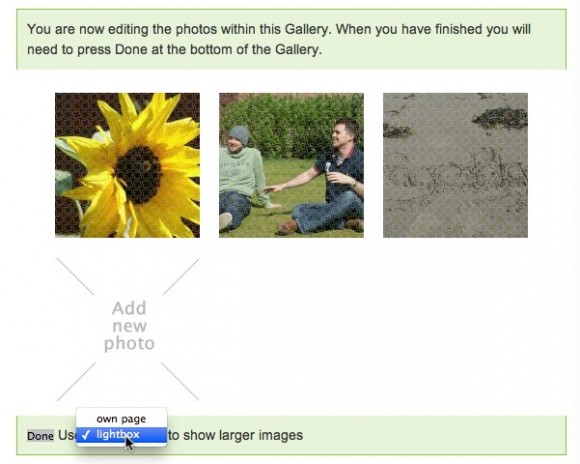
Groups of photos wherever you want them
With some web tools, a gallery has to take up a whole page. With PagePlay you can add as many groups of photos using gallery to your page as you like. There can be other items such as text in between the galleries you add. This can be really helpful as you move on to talk about another topic in your content, because you can bring it to life with a handful of images.
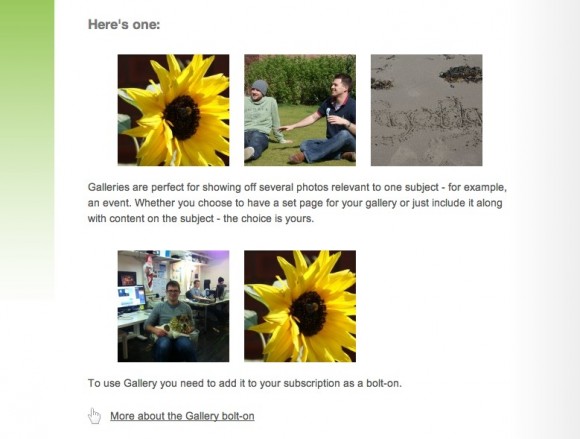
Search-friendly photos
When you add photos to your PagePlay site, they each get their own page, even if you have set them to open as lightbox. If you make sure you title and alt text your images well, then this is great for SEO.
Photo labels
When a visitor hovers (puts their mouse over) a photo in a gallery, the title you have given it will appear. This is very handy for labelling your pictures, but also might mean shorter titles are better. Experiment with different titles and then see how the look when you preview your page.

If you'd like any help with Gallery or any other PagePlay features - please give us a shout. We're always keen to make sure you're getting the most from your site.